Update Time: 2025-12-05
Designing effective retail displays is both strategy and psychology. A great display doesn’t just showcase products—it influences how customers feel, move, and ultimately decide to buy. The following 25 unique retail display ideas expand upon real retail behavior patterns, merchandising best practices, and emerging digital technologies that shape in-store experiences today.
25 Unique Retail Display Ideas for a Shop
1. Tell a Story With Your Display
People don’t fall in love with products—they fall in love with meaning. Storytelling displays use context, props, and messaging to create an emotional connection.
For example, a winter coat displayed alone feels transactional. But place it next to a steaming mug prop, snowy background, cozy scarf, and a sign reading “Designed for −10°C comfort”, and suddenly the display becomes a lifestyle story.
Why it works:
Storytelling activates imagination and reduces the mental effort customers need to envision usage. Psychologically, this removes friction and increases confidence in purchase decisions—especially for higher-ticket items.
2. Create Cross-Category Zones for Natural Upselling
Placing complementary products together encourages discovery and helps customers visualize bundled use.
Examples:
Coffee grinders + beans + reusable filters
Haircare shampoo + serum + travel-size accessories
Camping tents + lanterns + portable stove + smart digital signage explaining weight and use case
Retailers that apply bundled merchandising often see a 15–35% increase in basket value, particularly when paired with dynamic pricing or digital shelf labels to highlight bundle savings.
3. Seasonal and Rotational Displays to Keep Traffic Returning
Static layouts signal predictability. Rotational seasonal displays—Valentine’s Day, Ramadan, Summer Travel Essentials, Black Friday—make the store feel alive.
Pro tip:
Use digital signage and e-ink displays for seasonal messages, countdown promotions, and localized language changes without reprinting signage.
This creates urgency and repeat visits because shoppers expect newness.
4. Engage the Five Senses, Not Just Sight (Sensory Merchandising)
Modern retail must compete with the convenience of e-commerce. Sensory retail strategies help create memorable experiences.
Example applications:
Subtle citrus scent in fresh produce zones
Soft acoustic playlist in premium apparel departments
Textured material samples for furniture and flooring
Warm lighting in bakery areas to intensify color and freshness cues
Research shows that multisensory displays can increase dwell time by up to 60%, directly improving sales conversion.
5. Use Digital Signage for Dynamic Messaging and Content Rotation
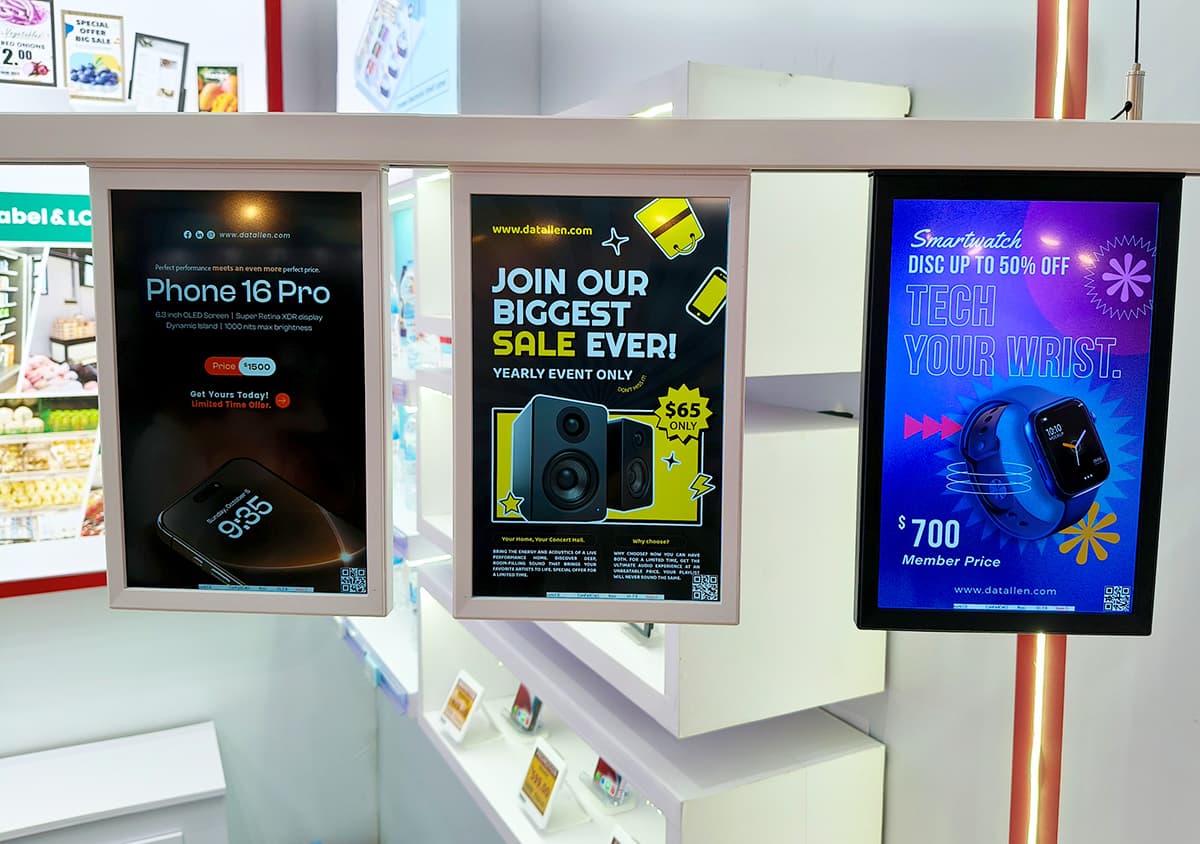
Static marketing materials can quickly become outdated. Digital signage and LCD retail screens allow seamless content control.
Use them to display:
Live promotions
Customer reviews
Recipes or styling tutorials
Sustainability information
Comparative product charts
Digital content helps create a hybrid shopping journey—bridging online research behavior with physical retail exploration.
6. Create Demonstration Zones Where Customers Interact With Products
Consumers trust what they can touch.
Examples:
Beauty stores offering “try-before-you-buy” tester displays
Electronics retailers are creating a plug-and-play workstation testing zone
Beverage sampling corners connected with product storytelling digital screens
Customers who physically engage with products are statistically 4–6x more likely to purchase.
7. Add QR Codes to Extend the Experience Beyond the Display
Integration of QR codes enables:
Video instructions
Comparison charts
Size or color availability
Online reviews
AR try-on experience
This approach supports omnichannel behavior and reduces sales staff dependency.
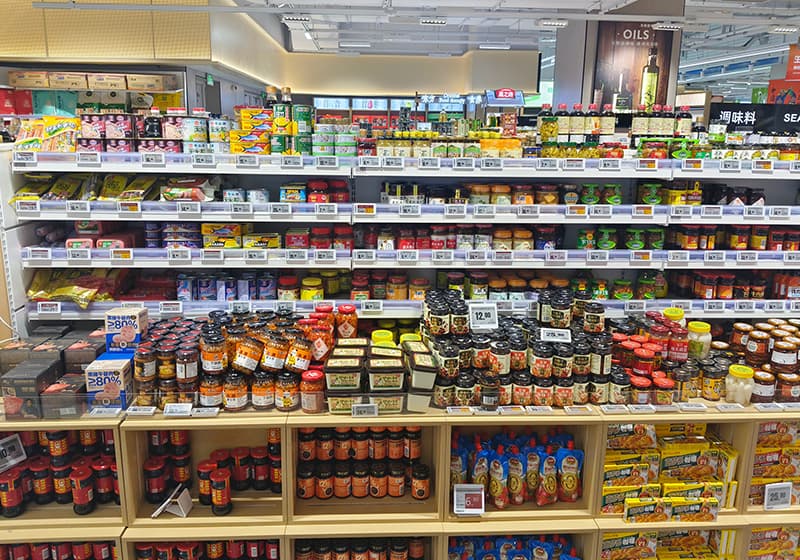
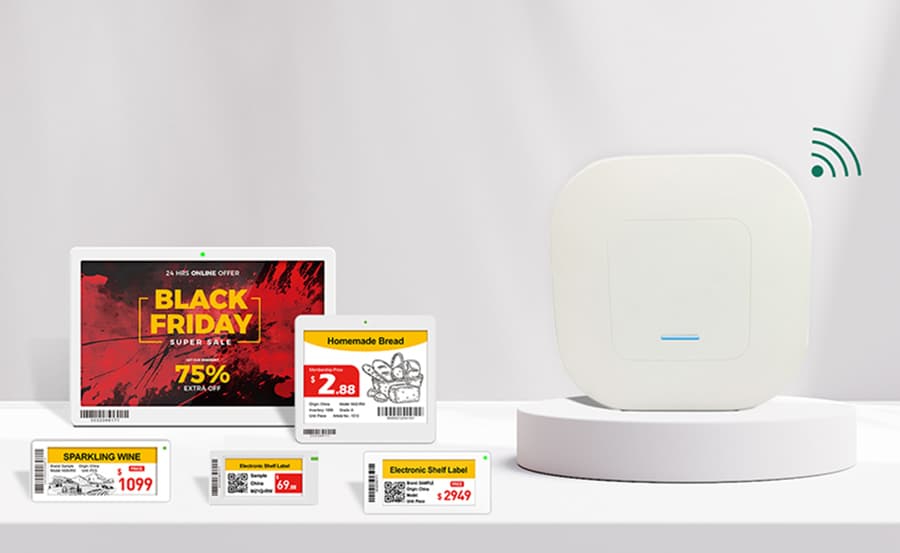
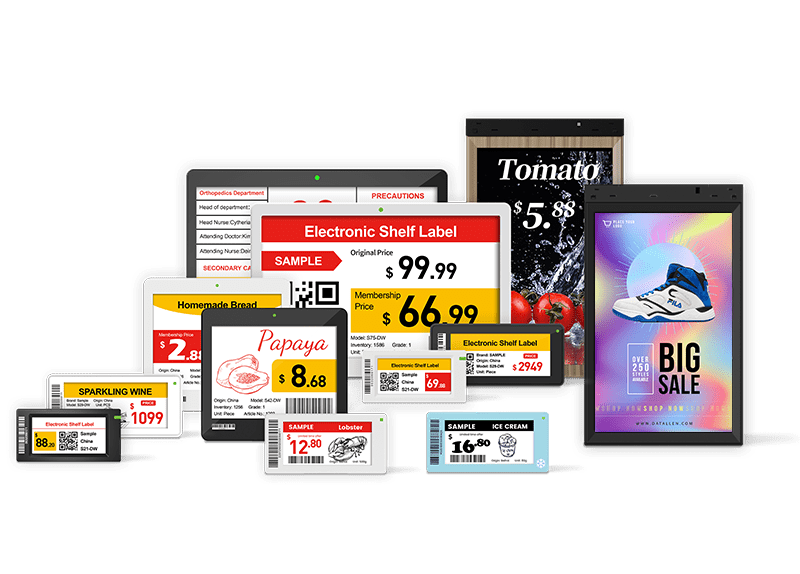
8. Use Digital Shelf Labels for Price Accuracy and Efficiency
Modern displays require real-time responsiveness.
Benefits include:
Instant price change synchronization
Promotion scheduling
Shelf-level inventory alerts
Multilingual display
Sustainability (no paper waste)
Retailers using ESL typically improve pricing efficiency by 70%–90% while offering a more premium display aesthetic.
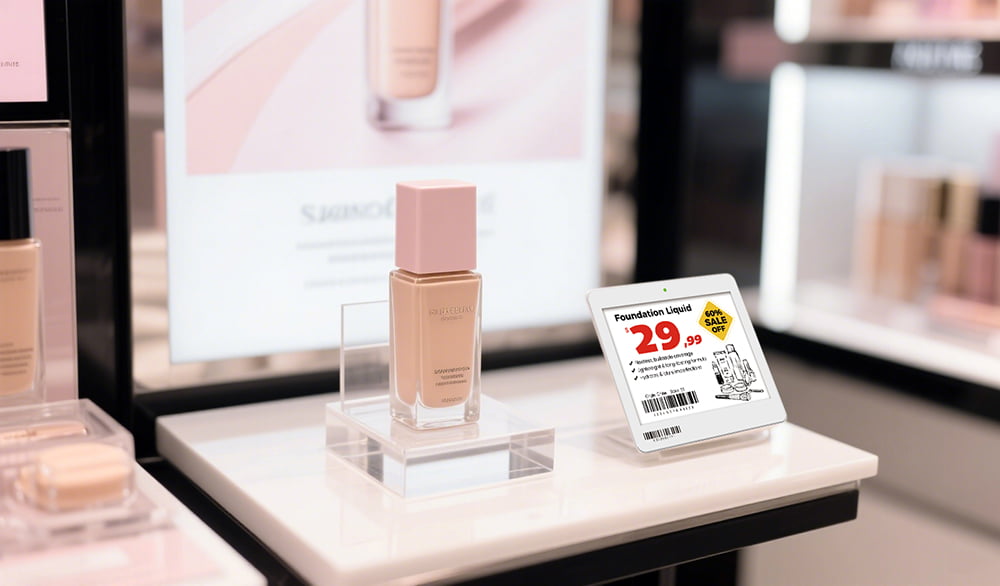
9. Apply Vertical Merchandising to Guide Eye Movement Naturally
Vertical displays help structure product hierarchy.
Suggested layout rule:
Eye level: best sellers
Above eye level: premium lineup
Below eye level: budget or bulk items
This layout aligns with natural scanning pathways and simplifies browsing.
10. Use the Rule of Three for Visual Balance
Triplet grouping—three items, three product sizes, three colors—creates an intentional visual rhythm.
This method enhances:
Product clarity
Layout harmony
Visual memorability
Retail psychologists refer to this as the “odd-number aesthetic effect.”
11. Organize Displays Using Color Blocking Techniques
Grouping products by color makes shelves visually appealing and easier to digest.
Examples:
Red-collected skincare for energizing positioning
Neutral minimalist home décor grouped by tone
Fashion outfits styled by color theme
This creates visual harmony and browsing ease, particularly for lifestyle brands.
12. Use Lighting to Highlight, Frame, and Influence Mood
Light isn't just visibility—it’s perception.
Lighting strategy examples:
| Zone | Lighting Type | Expected Effect |
| Jewelry & luxury | Cool white spotlight | Highlights detail and increases perceived value |
| Fresh food | Warm lighting | Enhances freshness and taste perception |
| Tech displays | Bright neutral white | Communicates precision and innovation |
13. Feature Rotating End-Cap Displays to Drive Impulse Purchases
End-caps sit in high-traffic corridors and influence impulse decisions.
Swap themes regularly:
“This week’s most searched products”
“Top TikTok-viral items”
“Local best sellers”
These attention-grabbing units significantly lift conversion—especially if paired with countdown timers or flashing digital signage.
14. Highlight Social Proof and Community Validation
Customers trust what others buy.
Examples:
"Best Seller This Week"
"4.8★ Rating from 2,300 Customers"
"Staff Recommendation" badge
Screens showing real user photos or reviews
Social proof reduces psychological risk in purchase decisions.
15. Use Before-and-After Showcases to Demonstrate Results
Ideal for beauty, cleaning supplies, tech upgrades, or DIY solutions.
Displaying outcomes helps customers visualize the transformation and understand product value quickly—particularly impactful for problem-solving categories.
16. Keep Window Displays Intriguing, Not Informational
Effective window displays trigger curiosity.
Strategy example:
Show just enough context to create questions—minimal messaging, strong storytelling image, spotlight hero product—and draw visitors in the store to learn more.
17. Install Projection-Based or AR Displays for Immersive Experiences
Projection mapping can animate product features or transform blank walls into interactive content.
Example use cases:
Shoes that show animations based on movement
Furniture showing multiple materials or colors digitally
Beauty products demonstrating ingredient contents visually
These setups create high engagement and social media shareability.
18. Use Intentional Empty Space to Increase Perceived Value
Luxury brands like Chanel and Aesop master the power of space.
Less crowded displays communicate that products are premium, limited, curated—not mass.
19. Local Storytelling Displays to Strengthen Identity and Trust
Modern consumers value authenticity and ethics.
Examples:
“Designed using recycled materials from Denmark.”
“Sourced from local farms within 40 miles.”
Digital signage showcasing the maker’s story
This transparency resonates deeply with Gen Z and eco-conscious buyers.
20. Create “Discovery Zones” for High Curiosity Appeal
Treasure hunt-style displays increase emotional excitement.
Best for:
New arrivals
Experimental products
Limited editions
Mystery bundles
These displays make browsing playful and create repeat visits.
21. Use Live Data or Dynamic Messaging to Influence Urgency
Digital shelf labels and screens can show:
Low stock alerts
Real-time popularity indicators
Countdown offers
Scarcity cues accelerate decision-making.
22. Build Multi-Level Displays for Depth and Hierarchy
Use platforms, risers, acrylic stands, and angled shelving to create visual depth.
Goal: avoid flat, monotone presentation—make products dimensional and staged.
23. Add Mirrors to Encourage Interaction and Visual Testing
Mirrors support categories where fit, proportion, or styling matters.
Mirrors also visually enlarge space and reduce display crowding.
24. Create Social Media-Friendly Photo Spots
Aesthetic retail corners encourage organic content creation.
Add branded hashtags, ring lights, or AR filters to facilitate sharing.
25. Build Pathways and Guided Layouts
Rather than random shelving, guide customers like an experience route:
Welcome zone
Exploration
Discovery
Commitment
Checkout zone
Post-purchase add-ons
This structure supports natural decision flows and increases product exposure.
Retail Display Strategy by Industry
1. Fashion and Apparel Retail
Fashion is emotional, visual, seasonal, and highly influenced by lifestyle identity. Effective store displays must help customers imagine how clothing fits into their personal expression.
Key Display Principles in Fashion Retail:
| Method | Description | Why It Works |
| Mannequin storytelling | Head-to-toe styled outfits | Reduces styling friction and promotes bundled sales |
| Color waves or seasonal themes | Displays sorted by palette or trend | Makes browsing intuitive |
| Touch-first displays | Materials accessible for feel | Increases perceived quality and garment trust |
| Smart screens / QR sizing access | Connects online sizing charts with physical try-on | Reduces hesitation and return concerns |
Example Execution:
A denim display showcasing three fits (Slim, Straight, Relaxed) placed alongside a digital signage loop demonstrating fit differences and model comparisons increases purchase intent because the shopper doesn’t need to guess.
2. Consumer Electronics and Tech Retail
Unlike fashion, tech shoppers compare specifications and functional performance. Displays must help simplify information while showcasing tangible interaction.
Key Display Tactics:
| Strategy | Use Case |
| Hands-on demo tables | Headphones, cameras, speakers, and drones |
| Feature comparison of digital signage | Side-by-side tech specs for quick evaluation |
| Guided recommendation systems | "Best for creators", "Best for students", "Best value" |
| E-ink digital labels with product updates | Accurate pricing during promotions or model refreshes |
This sector benefits greatly from experiential display zones where customers test real performance—sound quality, speed, tactile keyboard feel, screen brightness.
3. Grocery and Fresh Food Retail
Fresh food retail requires balancing presentation with movement efficiency. Displays influence perceived freshness, value, and appetite.
High-Impact Display Approaches:
| Display Style | Effect |
| Warm directional lighting | Enhances color richness for bakery/meat |
| Sampling stations | Boosts curiosity and loyalty |
| Seasonal end-cap “recipe bundles.” | Encourages cross-selling (e.g., pasta + sauce + cheese) |
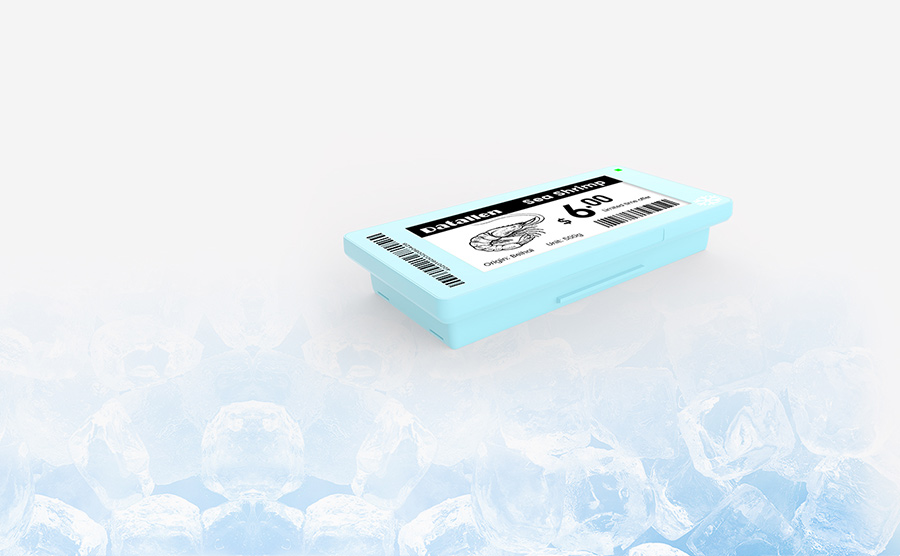
| Digital freezer signage | Works well in cold environments where printed signage fails |
Fresh grocery displays benefit from real-time pricing, especially when influenced by seasonality, expiry, or promotional urgency.
Global Retail Brands Leading in Creative Display Strategy
Below are three globally recognized brands demonstrating how effective in-store display strategies contribute to business success.
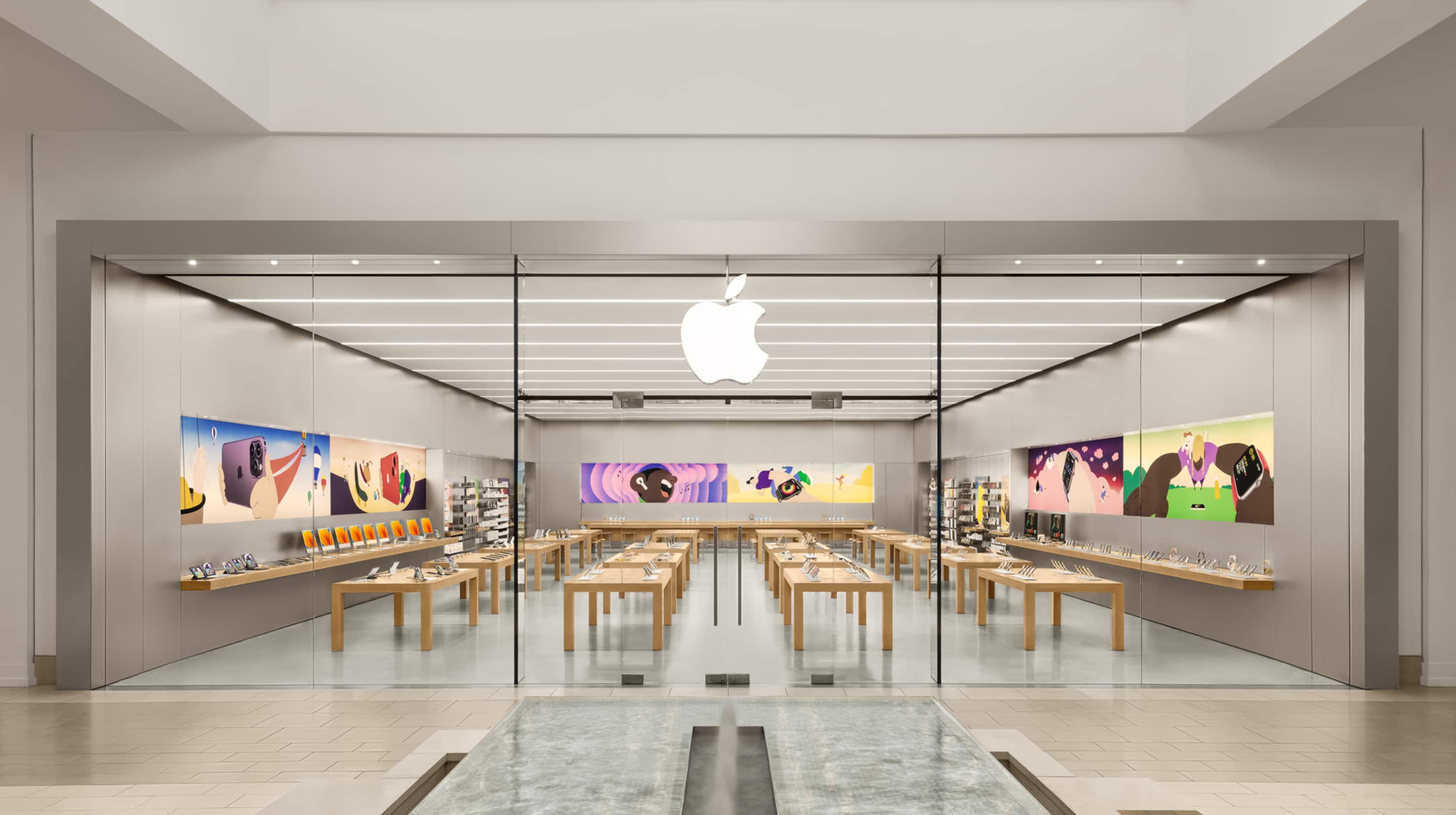
Case Study 1: Apple – Minimalist Interactive Experience
Apple’s displays are intentionally spacious, minimal, and interactive. Customers are expected to touch, explore, and play, not simply observe products.
Why it works:
Fewer visual distractions → higher focus on product
Hands-on engagement → emotional attachment
Digital screens supplement rather than dominate the environment
This aligns perfectly with Apple’s positioning: premium, intuitive, experiential.
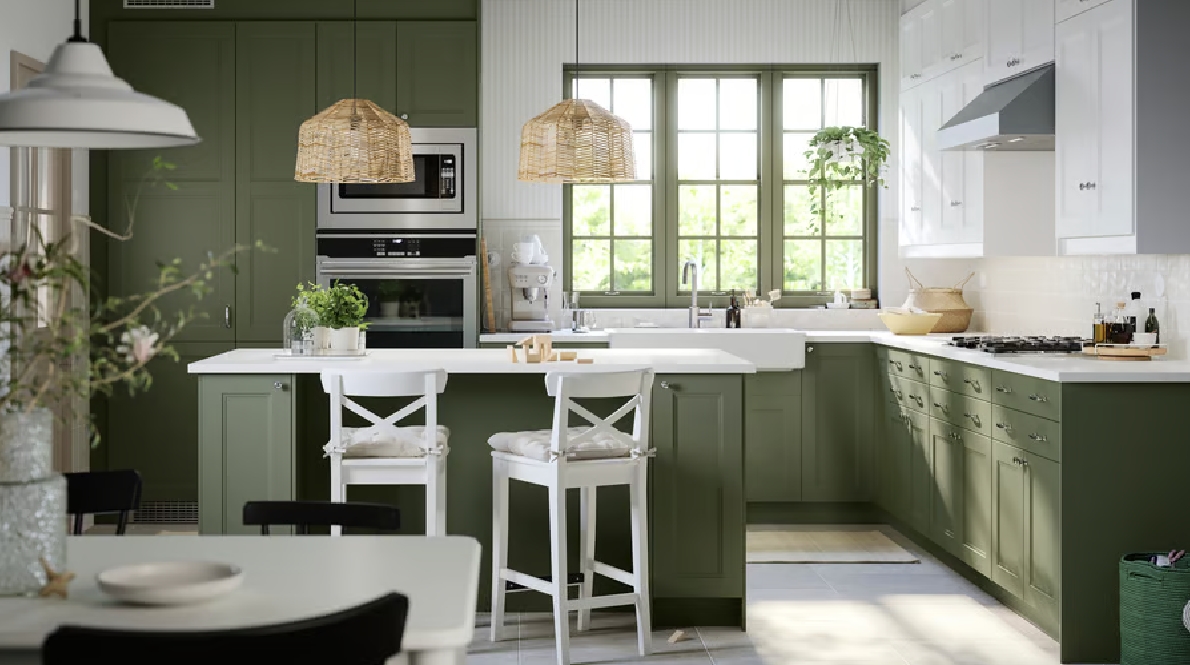
Case Study 2: IKEA – Storytelling and Real-Life Context
IKEA’s display logic is storytelling at scale. Instead of shelves of products, the store is built around complete home environments—kitchens, offices, bedrooms, and small apartments.
Why it works:
Context reduces the imagination gap
Displays create real-world usage scenarios
Encourages multi-item purchases (not standalone)
This model demonstrates how display design can shape both desire and spatial imagination.
Case Study 3: Sephora – Trial-First, Choice-Driven Display
Sephora leverages sampling, category zoning, and digital advice screens to enhance beauty product confidence and reduce customer risk perception.
Key tactics include:
Tester-first display approach
Digital skin tone analysis
Community reviews are shown at the shelf level
This creates a hybrid social-proof-plus-testing environment rarely seen in other retail categories.
FAQ About Unique Retail Display Ideas
1. What is the easiest retail display improvement I can make without renovating my store?
If you’re not ready for a full redesign, the simplest improvement is reworking product grouping and storytelling. Instead of arranging products by category (e.g., shoes with shoes, bags with bags), try theme-based or lifestyle grouping, such as:
“Weekend Essentials”
“Eco-friendly Picks”
“Trending on TikTok”
“Gift Ideas Under $30”
This approach improves decision-making, increases impulse purchases, and requires zero renovation budget—just smart visual planning.
2. How often should I update my in-store product displays?
Most retailers update every 30–60 days, but the ideal frequency depends on your category:
| Industry | Recommended Display Refresh Cycle |
| Fashion & Apparel | Every 2–4 weeks |
| Beauty & Cosmetics | Every 2–3 weeks |
| Electronics | Every 1–2 months |
| Grocery / Fresh Food | Daily to Weekly |
| Lifestyle / Home Decor | Every 4–8 weeks |
A display that never changes becomes invisible to returning shoppers—even if it's well-designed. Refreshing regularly also helps track A/B performance and customer buying behavior.
3. How do I know if my display design is increasing sales?
Tracking display performance is more than just watching sales numbers. Use a combination of:
Heat mapping (AI cameras or manual observation)
Footfall to interaction ratio
Display-driven conversion rate
Average transaction value before vs. after display update
If you use ESLs (electronic shelf labels) or digital signage, integrate analytics to measure:
Engagement time
Content-driven conversion
Price sensitivity
This gives you quantifiable ROI, not guesswork.
4. What display materials are best for small retail stores?
Small stores need displays that are:
Modular
Lightweight
Multi-functional
Quick to update
Popular choices include:
Slatwall systems
Pegboards
Transparent acrylic risers
Digital display strips or shelf signage
Foldable or stackable podiums
Avoid bulky wooden fixtures unless they have storage or stackable utility.
5. How do I create displays that attract Gen Z shoppers?
Gen Z prioritizes:
Experience over product
Authenticity
Limited editions
Digital-first engagement
To appeal to them, integrate:
LED shelf displays
QR codes for reviews or UGC videos
AR try-on points
Real-time promotions
TikTok-inspired trending displays
Example: Instead of “New arrivals,” try “Seen on TikTok” or “Going Viral.”
6. Are digital displays worth the investment for retail merchandising?
Yes—especially if pricing changes often or if product information is complex (electronics, cosmetics, fashion, food promotions). Digital signage and E-ink shelf displays:
Reduce printing and labor costs
Allow instant update across multiple store branches
Support dynamic pricing and seasonal campaigns
Increase product visibility and engagement
For high SKU environments (grocery, beauty, electronics), the ROI becomes visible within 6–18 months, depending on scale.
7. What mistakes should I avoid when designing store displays?
Common pitfalls include:
❌ Overcrowding shelves
❌ Poor lighting
❌ Inconsistent signage style
❌ Ignoring customer flow
❌ Pricing labels that are outdated or unclear
Your display should feel intentional—not chaotic. Space is as important as product.
8. How many focal points should a store display?
Most experts recommend one key focal point per display zone. This guides the shopper’s eye and reduces cognitive overload. Secondary items should support, not compete with, the hero product message.
Example structure:
Hero product (eye-level placement)
Supporting SKUs (same collection, same category)
Accessories / Cross-sell items
Clear pricing / digital signage
9. How can I improve displays if my store has low foot traffic?
If traffic is low, focus on:
Window storytelling
Digital screens with movement
Product sampling and demo stations
Limited-time themed pop-ups
External QR-based campaigns (e.g., “Scan to shop” window displays)
The goal is to convert passersby into walk-ins.
10. Should displays be different for weekend vs. weekday shoppers?
Yes. Weekends attract browsers and families—use:
Bold displays
Promotions
“Best sellers”
Seasonal highlights
Weekdays bring intentional, time-sensitive shoppers—opt for:
Clear navigation
Fast decision zones
“Grab-and-go” displays
Dynamic ESLs or digital signage make switching messaging effortless.
Conclusion
Whether it's digital retail signage, storytelling layouts, sampling stations, or smart product groupings, using creative display strategies can drive stronger emotional engagement, increase conversion rates, and build long-term loyalty.
For more insights, check out:
1. Creative Retail Display Ideas with E Ink Display for Quick Service Restaurants
2. Innovative Car Dealership Display Ideas: How Digital Shelf Labels Are Changing the Game
3. Creative Deli |دلي Display Ideas for Modern Delicatessens
4. How Much Does It Cost to Open a Smart Store with e Price Tags?
5. How Much Will Electronic Shelf Labels Cost Your Business? What You Should Expect to Pay in 2025