Updated: 2025-12-03
In the grocery industry, inventory management is the backbone of efficient store operations. Supermarkets manage thousands of SKUs, handle large volumes of perishables, deal with constant demand fluctuations, and operate on tight margins. When inventory systems are inaccurate or outdated, the consequences are immediate: stockouts, overstock, spoilage, higher labor costs, and dissatisfied customers.
This comprehensive guide explains the fundamentals of supermarket inventory management, why it is uniquely challenging, which KPIs matter most, and how stores can build a modern, technology-driven system that reduces waste, improves forecasting, and streamlines replenishment. Whether you run a small grocery store or a multi-location supermarket chain, these strategies will strengthen your daily operations and long-term profitability.
Why Supermarket Inventory Management Matters
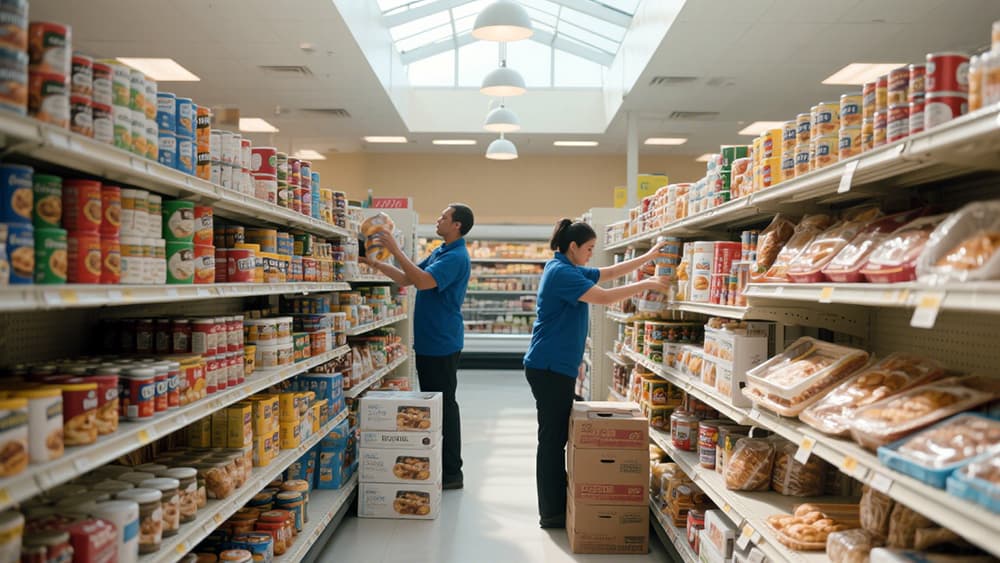
Unlike other retail environments, supermarkets handle diverse product categories—fresh produce, dairy, bakery, frozen foods, meat, beverages, and household goods. Each category behaves differently. Fresh food spoils quickly, beverages sell fast, frozen goods require strict temperature control, and snacks fluctuate heavily during promotions.
When inventory management is weak, supermarkets face:
High shrinkage and spoilage costs
Frequent out-of-stock issues
Misaligned ordering (ordering too much or too little)
Unnecessary labor spent on manual checks
Poor customer experience (empty shelves, missing promos)
Lost revenue during peak hours
Inefficient use of storage and shelf space
A strong system ensures every department—from produce to frozen foods—operates predictably and efficiently.
Moreover, in an increasingly competitive retail environment, customers expect high availability, freshness, and competitive prices. Inventory inefficiencies directly erode customer trust and brand reputation. Efficient inventory management becomes a strategic lever, not just an operational necessity.
The Key Challenges of Grocery and Supermarket Inventory
Supermarket inventory management is more complex than fashion, electronics, or home goods retail. These are the challenges that make grocery unique:
1. High SKU Volume
A typical supermarket handles 5,000–30,000 SKUs, making manual tracking nearly impossible. The sheer volume makes individual SKU management labor-intensive and error-prone.
2. Perishable Items
Produce, meat, dairy, and bakery products require accurate rotation and fast replenishment. Even a small miscalculation introduces serious waste. Shelf life varies across days, sometimes hours, requiring dynamic management.
3. Constant and Unpredictable Demand
Weather, promotions, seasonality, holidays, and local events alter traffic and consumption patterns daily. A hot weekend may suddenly push beverage and ice-cream demand through the roof. A cold snap might accelerate demand for soups, hot drinks, or ready meals.
4. Multiple Departments with Different Behaviors
Frozen sections operate differently from the bakery; beverages behave differently from household goods. Each department needs tailored replenishment cycles, expiry management, and storage conditions.
5. Thin Profit Margins
Supermarkets cannot afford continuous shrinkage or overstock. Every percentage point matters. Shrinkage from spoilage or theft directly hits margins; overstock ties up working capital and increases holding costs.
6. Human Error in Stock Checking
Manual shelf walks and paper-based counts are time-consuming and often inaccurate. Inconsistency in routines, overtime pressures, or miscounts easily introduce data errors.
7. Fragmented Systems and Poor Data Visibility
Legacy POS, manual spreadsheets, siloed departments — without a unified system, data becomes fragmented. Lack of real-time visibility prevents quick reaction to demand spikes or low stocks, and makes coordinated replenishment across stores difficult.
Understanding these challenges is the first step toward building a stable and accurate management system.
Essential KPIs for Supermarket Inventory Management
Tracking the right KPIs helps identify problems early and strengthens decision-making. Here are the most important metrics for grocery retailers:
1. Inventory Turnover Rate
Shows how many times stock is sold and replaced within a specific period.
A higher turnover reduces storage needs and spoilage. Lower turnover may indicate overstock or slow-moving SKUs.
2. Shrink and Waste Percentage
Measures loss from damage, expiry, mislabeling, and theft.
A core KPI for managing fresh food departments. High shrinkage often signals issues in receiving, storage, rotation, or expiry tracking.
3. Stockout Rate
Indicates how often products run out during business hours.
High stockout rates drive customers to competitors and reduce basket size. It also damages the reputation for reliability.
4. Forecast Accuracy
Compares predicted demand with actual sales.
Improving this directly reduces overstock and spoilage while maintaining shelf availability. Measured as (Forecast – Actual) / Actual over a period (weekly, monthly).
5. GMROI (Gross Margin Return on Inventory Investment)
Shows how much profit each dollar of inventory generates.
This helps retailers understand how efficiently they use inventory capital. A low GMROI signifies excessive tied-up capital for insufficient return.
6. Expiry-Related Loss Rate
Essential for dairy, meat, ready meals, and produce.
Tracks the percentage of items discarded due to expiry or spoilage. High expiry-related loss signals problems in turnover, shelf rotation, or ordering frequency.
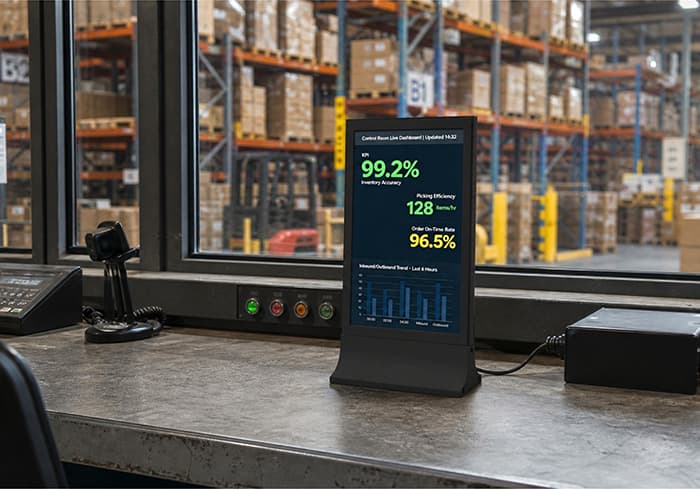
These KPIs should be reviewed weekly or monthly to detect patterns and adjust ordering or operations. Over time, building a dashboard for KPIs helps managers make data-driven decisions and spot seasonal trends or anomalies early.
A Structured 10-Step Inventory Management Process for Supermarkets
Based on industry best practices, supermarkets can follow this standardized workflow to reduce errors and improve stability.
Step 1: Classify Products by Turnover Speed (A/B/C Analysis)
A-items: Fast-moving essentials (milk, eggs, snacks)
B-items: Medium rotation (canned goods, condiments, hygiene products)
C-items: Slow-moving items (seasonal products, niche items, special imports)
This classification helps prioritize attention and resources — for example, A-items might need daily review, while C-items could be reviewed monthly.
Step 2: Set Minimum and Maximum Stock Levels for Each SKU
Fast-moving SKUs need higher thresholds to avoid stockouts, especially on weekends and holidays; slow-moving SKUs should have lower thresholds to avoid overstock.
Step 3: Use Safety Stock Formulas for Volatile or Seasonal Items
Items like ice cream, holiday snacks, or seasonal produce often face unpredictable demand. Using statistical safety stock calculations (e.g., average demand during peak × lead time × demand variance factor) builds a buffer against demand surges.
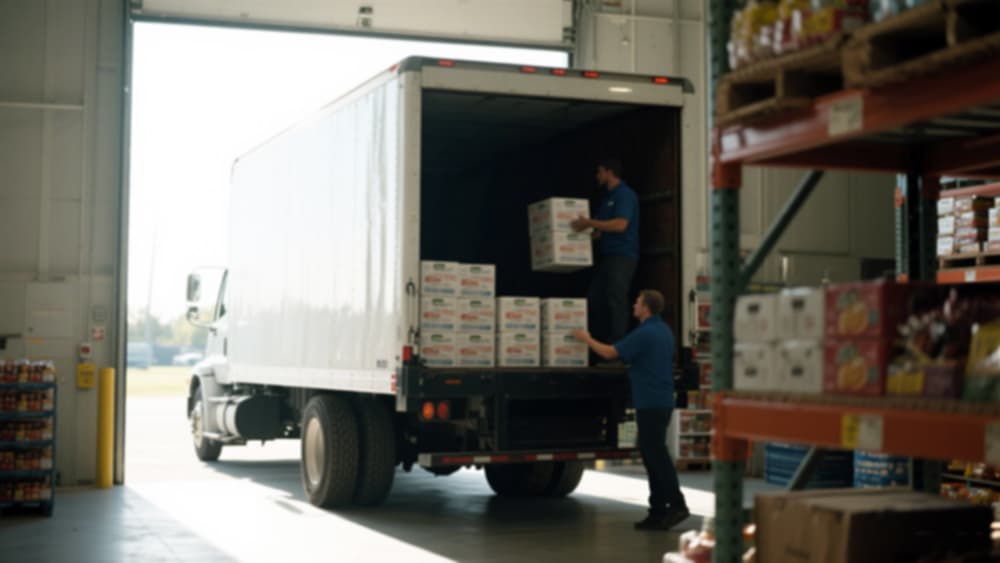
Step 4: Strengthen Receiving Procedures
Receiving is one of the biggest sources of system inaccuracy. A robust receiving process should include:
Verifying quantities vs. the delivery note
Inspecting quality and expiry dates
Scanning/recording barcodes or batch numbers
Detecting and documenting damaged or missing items
This ensures system records match physical stock from the start.
Step 5: Implement Daily or Weekly Cycle Counting Rather Than Monthly Full Inventory
Instead of monthly full inventory counts — which are disruptive and error prone — supermarkets can adopt cycle counting: count 5–10% of SKUs daily or weekly, focusing on A-items more frequently. This maintains ongoing accuracy with minimal disruption.
Step 6: Apply FIFO and FEFO Rotation in Perishable Departments
FIFO (First-In-First-Out) ensures older stock sells first.
FEFO (First-Expired-First-Out) ensures items closest to expiry are sold first.
Proper rotation reduces spoilage, waste, and customer dissatisfaction.
Step 7: Monitor Expiry Dates Using Digital Tools or Batch Tracking
Expiry-aware systems or batch tracking modules can flag soon-to-expire items, trigger markdowns or promotions, and minimize waste. For ready meals, dairy, and baked goods, this is critical.
Step 8: Automate Replenishment Based on Real-Time Stock Levels and Forecasts
When real-time stock drops below the minimum threshold and the forecast indicates upcoming demand, the system automatically generates purchase orders or shelf replenishment alerts — eliminating manual guesswork and improving shelf availability.
Step 9: Review Sales and Waste Data Weekly for Replenishment Tuning
Weekly reviews of sales vs. waste data help adjust orders, thresholds, and promotions. For example, if a produce item consistently goes to waste near expiry, reduce order quantity; if a canned good sells steadily, ensure reorder point and maximum stock supports demand.
Step 10: Give Department Managers Access to Dashboards for Monitoring and Collaboration
A unified dashboard — showing stock levels, upcoming expiries, shrink, turnover, and reorder alerts — empowers department leads to make decisions. Shared visibility across departments ensures coordinated replenishment and reduces overstock or understock scenarios.
Technologies That Transform Supermarket Inventory Management
Supermarkets worldwide are transitioning from manual processes to digital systems that increase accuracy and reduce labor. Here are technologies that significantly improve inventory management:
1. Electronic Shelf Labels
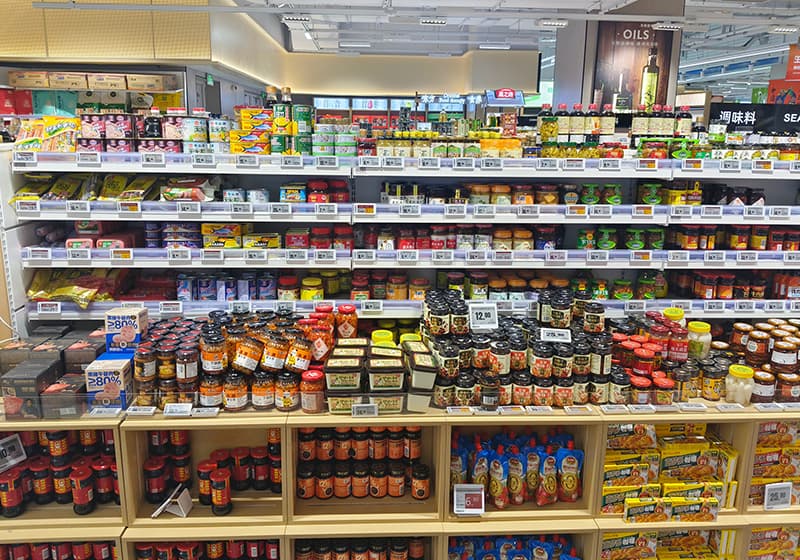
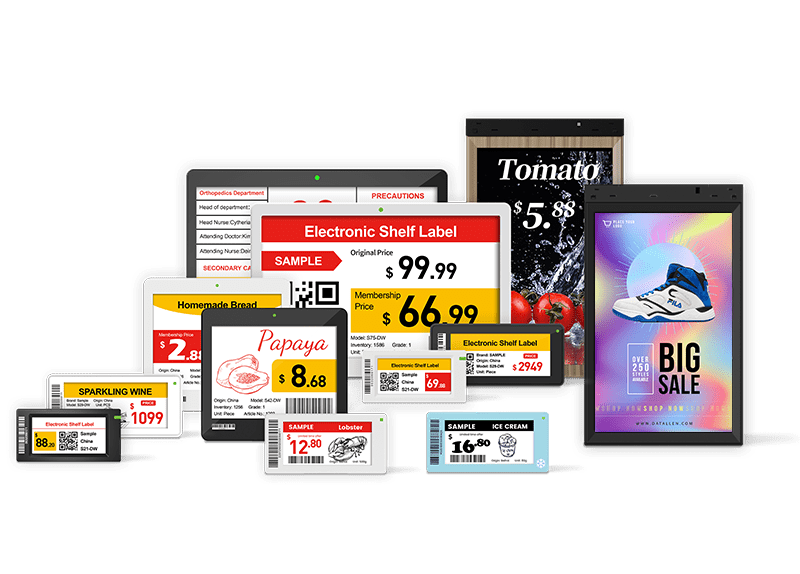
Real-time price updates reflecting promotions or markdowns
Automatic synchronization across stores
Reduced pricing errors and mismatches
Faster shelf replenishment and accurate stock visibility
When integrated with back-end inventory systems, ESL can significantly reduce manual labor and improve shelf availability.
2. Digital Signage for Promotions and Dynamic Offers
Highlights promotions and high-turnover items — speeding up inventory turnover
Displays clearance items to move surplus or near-expiry stock
Supports cross-selling and seasonal marketing, helping shift stock before expiry
Promotional accuracy and timely markdowns can help manage inventory velocity and reduce waste.
3. IoT Sensors and Temperature Monitoring Systems
Especially important for:
Frozen foods, ice cream, meat, seafood — where temperature deviation risks spoilage
Dairy, ready meals, and produce — sensitive to humidity or temperature fluctuations
IoT sensors provide real-time alerts for temperature excursions; this helps avoid spoilage, ensures compliance with food safety regulations, and reduces shrinkage from quality issues.

4. Cloud-Based Inventory Systems with Multi-Store Sync and Mobile Access
Modern supermarket chains benefit from:
Unified multi-store visibility — seeing stock across all branches in real time
Real-time stock updates — so sales, returns, and transfers update the central database instantly
Mobile tools — staff can scan barcodes on the go, check stock, update receipts, and manage transfers
Automated ordering — central procurement, cross-docking, replenishment triggered by real-time data
These systems reduce data silos, speed up operations, and support scale.
Choosing the Right Inventory Management Software for Supermarkets
When evaluating systems, look for features tailored to grocery operations. The right software becomes the foundation of an efficient inventory strategy. Consider the following:
Must-Have Features
Real-time inventory visibility (for each store, warehouse, and all combined)
Automated purchasing and reorder point generation
Demand forecasting using historical sales, seasonality, promotions
Expiry date and batch tracking for perishable items
POS, ERP, and warehouse management (WMS) integration
Multi-branch synchronization — central + local view
Mobile apps for in-aisle stock checking and shelf audits
Shelf replenishment and low-stock alert system
Waste and shrink tracking dashboard
Optional but High-Value Features
Predictive analytics (e.g., demand surge detection, trend forecasting)
Temperature sensor integration for frozen/fresh departments
Integration with ESL, digital signage, or IoT systems
Promotion planning tools tied to inventory and shelf data
Cross-docking and supplier-managed inventory (VMI) support
Real-time dashboard shared across HQ, store, procurement, and operations
Selecting software with these features enables supermarkets to move beyond reactive inventory management into proactive, data-driven operations.
Common Inventory Problems in Supermarkets — and How to Fix Them
Even with good intentions, many supermarkets struggle with persistent inventory issues. Here are the common problems and practical solutions.
Problem 1: Frequent Stockouts
Cause: Slow/manual replenishment, poor demand forecasting, and no automated reorder triggers.
Solution: Implement automated reorder points, use real-time stock tracking, set safety stock levels, and enable shelf alerts via ESL or mobile apps.
Problem 2: High Shrink and Spoilage
Cause: Poor rotation, inconsistent expiry tracking, over-ordering, and lack of visibility on spoil-prone items.
Solution: Adopt FIFO/FEFO, enable expiry-date alerts, reduce order quantities for slow-moving perishables, perform frequent cycle counts, and run weekly waste analysis.
Problem 3: Inaccurate Manual Stock Counts
Cause: Human error, inconsistent procedures, and lack of accountability.
Solution: Use scanning tools or mobile inventory apps, standardize receiving and cycle counting procedures, provide staff training, and maintain audit logs.
Problem 4: Overstock and Capital Lock — especially for slow-moving SKUs
Cause: Forecasting based on last-season data, no review of slow-moving items, bulk ordering to “save per-unit cost.”
Solution: Classify SKUs by turnover speed (A/B/C), apply lower reorder thresholds for C-items, review sales history before reordering, and consider consignment or vendor-managed inventory (VMI) for seasonal items.
Problem 5: Data Discrepancies Across Systems (POS, warehouse, manual sheets)
Cause: Siloed systems, delayed data entry, and lack of integration.
Solution: Use unified inventory platforms, ensure proper integration of POS, warehouse, and store-level data, require real-time syncing or frequent batch uploads, perform regular data reconciliation.
Problem 6: Perishable Waste Because of Poor Temperature or Storage Conditions
Cause: Malfunctioning freezers, lack of monitoring, delayed alerts.
Solution: Install IoT temperature sensors, set up automated alerts for deviations, schedule routine checks, and log temperature history to track patterns and compliance.
Problem 7: Poor Responsiveness to Demand Fluctuations (seasonal, events, trends)
Cause: Static reorder rules, lack of forecasting, and delayed reaction.
Solution: Use demand forecasting modules that incorporate seasonality, trend data, promotion impacts; adjust reorder thresholds dynamically; run pre-season planning for holidays and events.
Best Practices for Reducing Waste and Improving Shelf Availability
Improving efficiency requires consistent routines and disciplined execution. Here are practices supermarkets should adopt:
Conduct daily inspections of perishable sections (produce, dairy, meat) to spot spoilage or quality issues early
Lower order quantities for slow-moving fresh foods to avoid waste; increase order frequency but decrease volume
Increase orders for high-frequency products before peak times (weekends, holidays, promotions)
Use digital signage and promotional tools to push surplus or near-expiry stock — flash sales, discounts, bundle promotions
Evaluate shelf layout and planogram monthly — ensure popular items get prime shelf space for higher turnover
Educate department managers and staff on KPI monitoring — make them responsible for shrink, turnover, and stockouts
Maintain strict temperature control with alerts and logs for frozen, dairy, and chilled departments
Keep a well-documented audit trail — for receiving, transfers, returns, disposals — to ensure trailability and accountability
Regularly review historical sales and waste data to refine forecasting and reorder thresholds
When executed consistently, these practices reduce operational risk, cut waste, and improve customer satisfaction.
Migrating from Legacy to Modern Inventory Systems: Change Management & Implementation Tips
Transitioning from manual or semi-manual inventory processes to a fully digital, technology-driven system can be disruptive — but with careful planning and phased implementation, it delivers long-term benefits.
Step A: Conduct an Audit of Current Processes
Document how stock is received, counted, stored, rotated, and reordered. Note pain points: shrink, stockouts, manual hours, data delays.
Step B: Map Out Target Workflow
Use the 10-step framework above. Define which departments will adopt first (perishables, frozen — high priority), and which later (household goods, slow-moving SKUs).
Step C: Pilot with a Single Department or Store
Start with the produce or frozen section to introduce ESL, digital shelf monitoring, expiry tracking, and cycle counting. Monitor KPIs before and after launch (shrink rate, stockouts, labor hours).
Step D: Train Staff and Define SOPs
Clearly document procedures: receiving, scanning, cycle count schedules, expiry rotation, and shelf replenishment. Assign owners for each task (e.g., department lead, store manager, inventory clerk).
Step E: Roll Out in Phases Across Departments / Stores
Once the pilot proves effective, expand to other departments/stores. Use lessons learned to refine SOPs and alerts.
Step F: Monitor Performance and Iterate
Use KPI dashboards to spot issues early. Review waste, stockouts, turnover, and expiry losses monthly. Adjust reorder thresholds, cycle count frequency, or ordering frequency as needed.
This gradual, data-driven rollout minimizes risk, ensures staff adoption, and builds a sustainable, scalable inventory system.
Long-Term Benefits and ROI: What Smart Inventory Management Brings to Supermarkets
Investing in proper inventory management — both in process and technology — brings measurable long-term value:
Reduced waste and spoilage — less shrinkage and lower disposal costs
Fewer stockouts, more shelf availability → higher customer satisfaction and retention
Improved cash flow — higher turnover and less capital tied up in inventory
Lower labor costs — less time on manual counts and corrections
Better demand forecasting — aligned ordering, less overstock
Enhanced profitability per SKU — higher GMROI
Clear audit trail & compliance — critical for food safety and regulatory inspections
Scalable operations — easier expansion to new stores, multi-store synchronization, centralized procurement
These improvements transform inventory management from a cost center into a driver of profitability and operational excellence.
Conclusion
Supermarket inventory management is complex, but with the right structure, KPIs, workflows, and technology, grocery retailers can control costs, reduce waste, and maximize product availability. Automation — whether through real-time software, electronic shelf labels, digital signage, or IoT sensors — transforms manual guesswork into predictable, measurable, and efficient operations.
A disciplined approach — classification of SKUs, safety stock rules, expiry rotation, cycle counting, data-driven replenishment, and cross-department collaboration — creates a stable, scalable, and profitable inventory system. For supermarkets willing to modernize and standardize, the payoff is reduced waste, improved customer experience, and stronger margins, positioning them for sustainable success in today’s competitive retail environment.
Datallen stands at the forefront of this transformation, offering ESL and LCD solutions proven to enhance accuracy, cut labor costs, and boost profitability. Discover how our intelligent pricing and inventory tools can revolutionize your supermarket inventory management—reach out to unlock your store's full potential. Email: inquiry@datallen.com
For more insights, check out:
1. How Modern Supermarket Advertisement Drives Sales: Strategies, Tech & Measurable Tactics
2. Pricing Intelligence for Retailers: Strategies, Tools, and Real-World Applications
3. The Importance of Digital Transformation in the Retail Industry
4. Winning Beverage Retail : Shop Fitting, Cold Chain Displays, and Smart Signage
5. Top Retail Dynamic Pricing Strategy Examples and Best Practices