Modern warehouses generate more operational information than ever. Warehouse management systems track inventory, orders, picking, packing, receiving, shipping, and other processes, while supervisors rely on dashboards and reports to understand what is happening across the facility. Yet having information in a system does not necessarily mean that the people working on the warehouse floor can see it when they need it.
This creates a practical information gap. A change in a shipping schedule may be known by a supervisor but not by a loading team. A priority order may appear in a warehouse management system but remain invisible to workers away from a computer. A safety instruction may be updated centrally while an old printed notice is still hanging on a wall.
Warehouse digital signage can help close this gap by bringing relevant information from business systems to the physical spaces where warehouse teams work. Rather than replacing a warehouse management solution, digital displays can function as its visual communication layer, turning selected operational data and messages into information that is easier to see, understand, and act on.
What Is Warehouse Digital Signage?
Warehouse digital signage refers to network-connected digital displays used to communicate operational, logistical, safety, and workforce information inside a warehouse or distribution facility. A typical setup combines an LCD screen, content management software, a network connection, and one or more information sources.
The important distinction is that a warehouse display should not simply function as a large television playing generic company announcements. Its content needs to serve a specific operational purpose. A screen near a loading dock may show dock assignments and shipment schedules, while a display near a picking area may show order priorities or performance information. A screen in a break room may focus on shift information, employee announcements, and safety communication.
Warehouse Display vs. Traditional Noticeboards
Traditional noticeboards remain useful for permanent information, but they become less effective when information changes frequently. Printed schedules, paper notices, and handwritten boards require someone to replace or edit them. This creates a risk that employees will see information that is no longer current.
A digital warehouse display can be updated remotely, scheduled by shift or location, and used for different types of content. It can show text, images, video, QR codes, announcements, and operational information without requiring a new physical sign every time something changes.
The real advantage, however, is not simply that the screen is digital. It is that information can be delivered where it is needed, when it is needed, and to the people who need to see it.
How Digital Signage Fits Into a Warehouse Management Solution
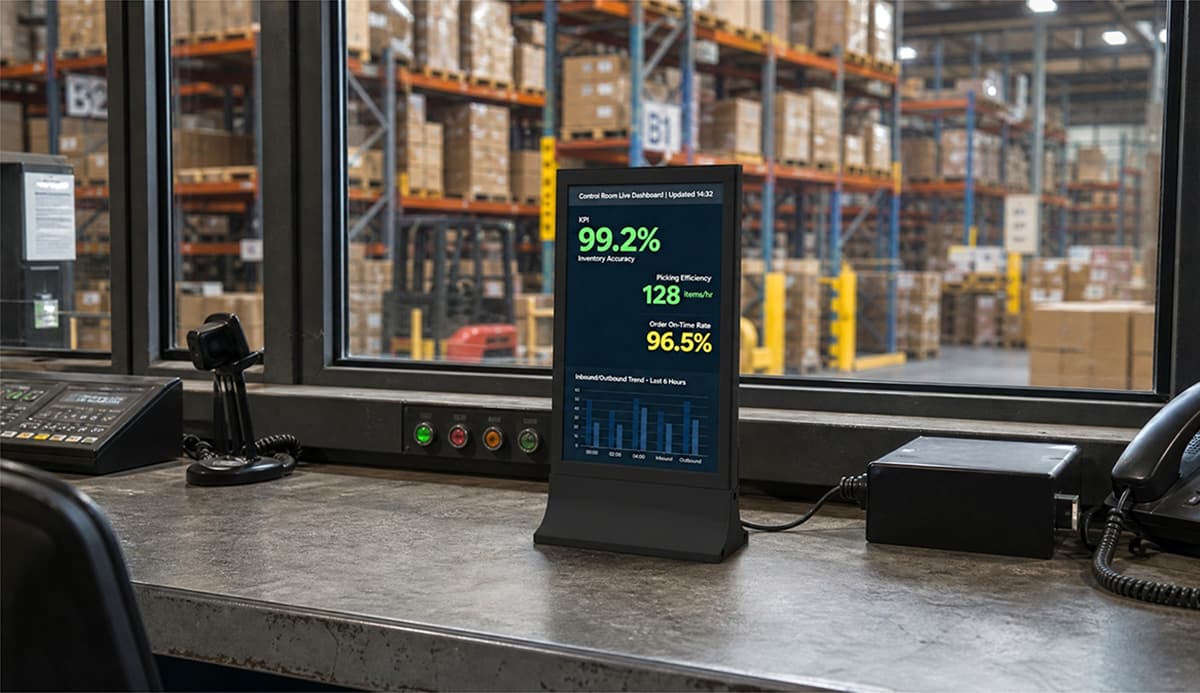
A warehouse management solution is designed to coordinate and control warehouse activities. Depending on the system, it may manage inventory records, receiving, putaway, picking, packing, shipping, order processing, and operational reporting. Modern WMS platforms can also provide dashboards for inventory status, productivity, and inbound or outbound activity.
System Visibility and Floor Visibility Are Different
A warehouse management solution may already contain the information a team needs, but the information is not automatically visible to everyone. Office staff may work with computers throughout the day, while pickers, loaders, forklift operators and other frontline employees spend most of their time moving around the facility.
This is where warehouse digital signage adds a different layer of value. Instead of asking employees to find the information themselves, selected information can be presented directly in the work environment. Recent warehouse signage discussions increasingly focus on this gap between information stored in business systems and information visible to frontline teams.
From System Data to Floor-Level Information
A practical information flow can look like this:
WMS / ERP / Inventory System → Operational Data → Digital Signage Platform → Warehouse Display → Frontline Team
The digital signage layer does not need to duplicate every function of the underlying system. Its role is to select and present information that is relevant to the people and processes around a particular screen.
This distinction is important. A warehouse screen should not become a giant copy of a WMS dashboard. Too much information can be just as ineffective as too little. The objective is to make important information visible without creating another source of information overload.
Why This Matters for Frontline Teams
Warehouse teams often work across different shifts and physical zones. Not everyone attends the same briefing, works near the same supervisor, or has immediate access to an office computer. A strategically placed display can give teams a shared view of information that would otherwise be fragmented across emails, printed notices, conversations, and software dashboards.
Where Warehouse Digital Signage Creates the Most Value
Receiving and Loading Areas
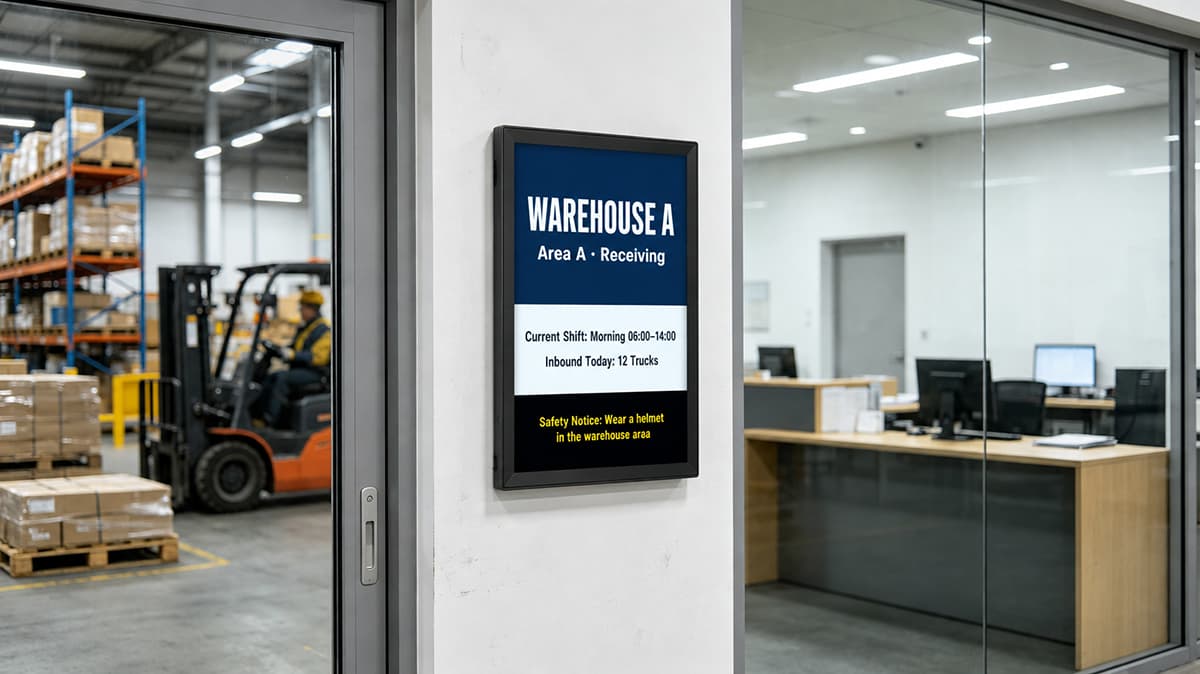
Receiving and loading areas are highly dependent on timing. A warehouse display can show inbound schedules, dock assignments, shipment status, carrier information, or operational announcements relevant to the area.
Instead of relying entirely on a printed list or a supervisor repeatedly communicating changes, the screen can provide a shared reference point. The same principle applies to outbound operations, where teams may need visibility into shipping priorities, deadlines or loading status.
Picking, Packing and Shipping Areas
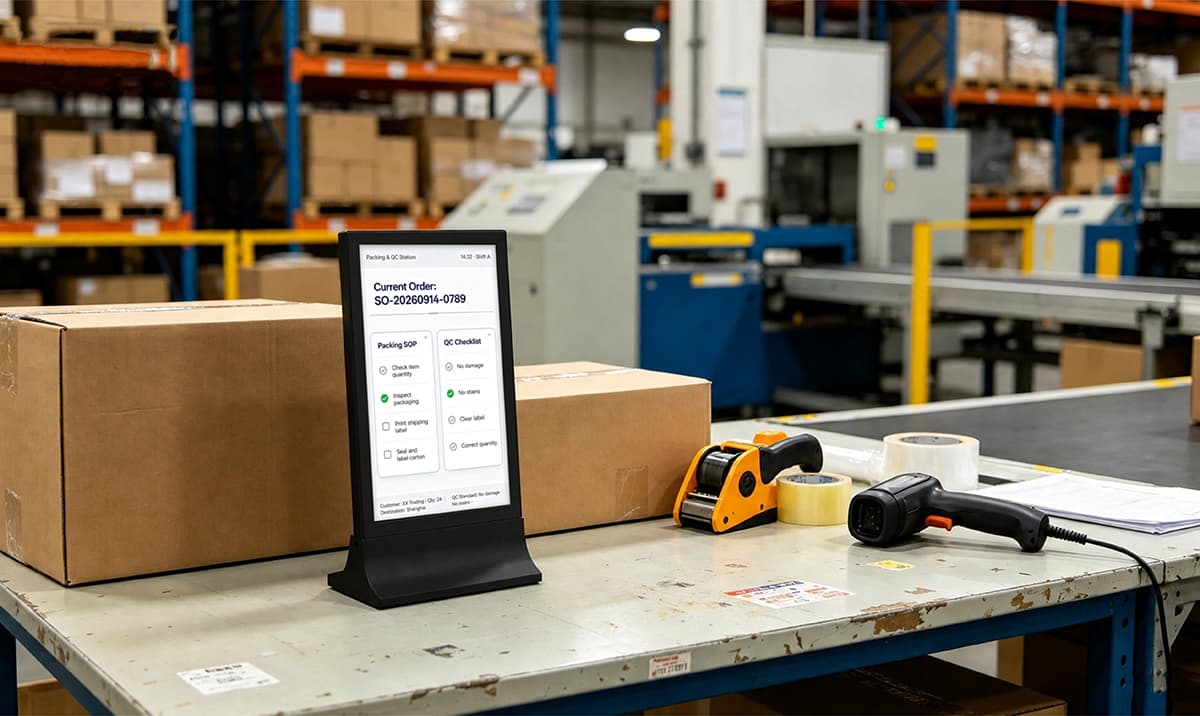
Picking and packing teams can benefit from information such as current order volume, priority tasks, shipment deadlines and shift targets. Performance information can also be displayed when it is useful for the team rather than simply being collected for management reports.
The purpose is not to pressure workers with constantly changing numbers. A well-designed display gives the team context: what has been completed, what remains, and what requires attention.
Inventory and Warehouse Operations
Inventory information is another strong application. A warehouse display can present selected stock alerts, replenishment priorities, order status or operational KPIs derived from existing systems. WMS dashboards commonly include inventory, productivity and inbound/outbound reporting, making these data sources useful candidates for carefully selected floor-level displays.
The key is relevance. A screen in a picking zone does not necessarily need the same information as a screen in the shipping area. Location-specific content can make the information easier to understand and more actionable.
Shift Handover and Team Communication
Shift changes are another point where information can be lost. A digital display can communicate the current shift, outstanding priorities, general announcements, operational reminders, or other information that needs to remain visible during the transition between teams.
This is especially useful in facilities operating multiple shifts, where employees arriving later may not have received the same verbal information as the previous team. Digital signage can provide a consistent visual reference without replacing normal handover procedures.
Digital Safety Signage: Turning Safety Information Into a Live Communication Channel
Safety information is one of the most practical applications for digital safety signage. Warehouses may need to communicate PPE reminders, temporary hazards, restricted areas, emergency instructions, equipment warnings or other safety messages.
Unlike a permanent poster, a digital display can change when conditions change. A temporary obstruction, maintenance activity or operational hazard can be communicated through screens located near the affected area. Emergency or high-priority messages can also be given greater visual prominence than routine content.
However, digital safety signage should be treated as a supplementary communication tool, not a replacement for legally required safety signs, physical controls, emergency procedures or other formal safety measures. Effective safety communication uses the right combination of permanent signage, procedures, training, alerts and operational controls.
The most useful safety content is also specific. Instead of displaying a generic message all day, a screen can show information relevant to the location, shift or current operating conditions. Industry guidance and current warehouse signage practices increasingly emphasize targeted safety messaging rather than simply filling screens with general announcements.
What Should a Warehouse Display Actually Show?
There is no universal content list for every facility. The better approach is to ask what information people in a particular location need to know without opening another system or finding a supervisor.
Operational Information
Examples include order progress, current priorities, throughput, productivity metrics and operational exceptions.
Logistics Information
Receiving schedules, shipping status, dock assignments, and delivery-related information can be useful in areas where goods and vehicles are constantly moving.
Safety and Workforce Information
PPE reminders, safety messages, emergency information, shift schedules, training reminders, and internal announcements can help maintain consistent communication across the facility.
A useful rule is simple: a warehouse display should answer a question. What is happening now? What needs attention? What changed? What comes next? What does this team need to know?
How to Design an Effective Warehouse Display
Design for Distance, Not Desktop Viewing
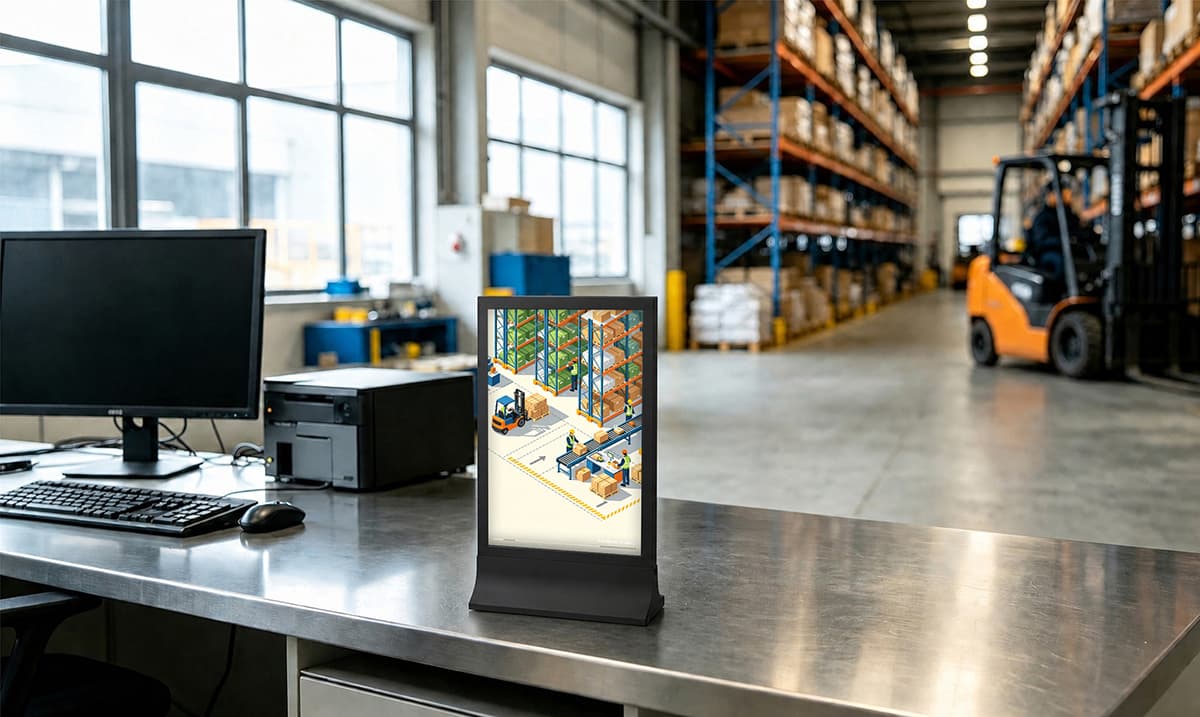
Warehouse screens are often viewed while people are walking, operating equipment or working several metres away. Content designed for a desktop monitor may therefore be too dense for a warehouse display. Large text, clear hierarchy, short messages and strong contrast are generally more useful than a screen filled with small tables.
The viewing distance should influence both screen size and content design. A screen mounted above a busy loading area may need to communicate with people farther away than a display placed beside a workstation.
Match Content to Location
Different areas have different information requirements. Receiving teams need different information from shipping teams. A break-room screen can carry more employee communication than a screen positioned beside an active picking area. Current warehouse signage guidance similarly emphasizes choosing screen locations according to employee movement, exposure time and information needs.
| Warehouse Area | Potential Content |
|---|---|
| Receiving | Inbound schedule, dock status, delivery information |
| Picking Zone | Order priorities, performance, operational reminders |
| Shipping | Outbound status, shipment priorities, schedules |
| Break Room | Announcements, schedules, training and safety information |
Avoid Turning the Screen Into a Dashboard Dump
More data does not automatically create more visibility. A screen showing dozens of metrics may technically contain useful information but still fail to communicate anything clearly. Warehouse employees should be able to understand the main message quickly.
For this reason, the best warehouse display strategy is selective. Show the information that supports the decisions or actions expected in that location, and move detailed analysis back to the appropriate WMS or management dashboard.
Connecting Warehouse Displays With Existing Systems
Can Digital Signage Work With a WMS?
Yes, depending on the capabilities of the WMS and digital signage platform. Common approaches can include APIs, web dashboards, data feeds, and scheduled content. Some warehouse digital signage platforms are specifically designed to bring existing dashboards and business-system information onto screens.
The integration should be planned around information requirements rather than technology alone. First identify which data needs to appear on the warehouse floor, then determine where that information currently comes from and how frequently it changes.
Does a Warehouse Need to Replace Its Existing WMS?
No. In many deployments, digital signage works alongside an existing warehouse management solution. The WMS remains responsible for warehouse transactions and operational processes, while the signage system presents selected information to people on the floor.
This separation can make deployment more practical because a warehouse does not have to replace its core management infrastructure simply to improve the visibility of information.
Choosing an LCD Warehouse Display
Consider Viewing Distance and Location
Screen size should be determined by where the display will be installed and how far people will normally stand from it. A larger screen is not automatically better if the content is poorly designed, while a small display may be difficult to read in a large open warehouse.
Consider Brightness and Operating Conditions
Lighting conditions can vary considerably between warehouse areas. Displays should be selected according to the actual environment, viewing angle, and expected operating schedule. Areas exposed to unusual dust, moisture, temperature variation or physical impact may also require additional protection or an appropriate enclosure rather than relying on a standard indoor display.
Consider Connectivity and Content Management
For multiple displays, centralized content management can simplify updates and scheduling. A useful system should make it practical to change content remotely, organize screens by location or group, and control what information appears on each display.
How Datallen LCD Digital Signage Fits Warehouse Applications
Datallen LCD digital signage can serve as a visual communication layer for warehouse and logistics environments where teams need timely operational information in the physical workspace. Its LCD display options include 10.1-inch and 15.6-inch models, supporting Wi-Fi connectivity and cloud-based content management. Content such as images, videos, QR codes, prices, announcements, and other visual information can be managed remotely, while templates and batch updates can simplify content deployment across multiple screens. For a warehouse, these capabilities can be applied to shift communication, operational announcements, safety messages, logistics information, and other location-specific content. Datallen displays can complement an existing warehouse management solution rather than replace the WMS or ERP infrastructure behind it.
FAQ: Practical Questions About Warehouse Digital Signage
How Much Does Warehouse Digital Signage Cost?
There is no single price for a warehouse digital signage project. The total cost can depend on screen size, display specifications, the number of screens, mounting requirements, content management software, installation, networking, and any WMS or ERP integration. Multi-site projects can also have additional management and deployment requirements.
It is therefore more useful to calculate the total deployment cost rather than comparing screen prices alone. Hardware is only one part of a long-term digital signage system.
What Happens to Warehouse Digital Signage When the Network Goes Down?
The answer depends on the display and signage platform. Systems that support local content caching may continue playing previously downloaded scheduled content when the network connection is temporarily unavailable. However, information that depends on a live data connection may no longer be current until connectivity is restored.
This makes network resilience and content freshness important considerations. A screen should not give employees the impression that live operational data is current when the connection has actually been interrupted.
Datallen | Digital Signage Costs 2025: Buying & Installation Guide
How Large Should a Warehouse Digital Display Be?
Screen size should be selected according to viewing distance, mounting height, ambient lighting and the amount of information that needs to be displayed. A screen that looks clear at two metres may not be suitable when employees need to read it from ten metres away.
The goal is not to maximize screen size. It is to make the intended message readable quickly from the normal viewing position.
How Often Should Warehouse Digital Signage Content Be Updated?
There is no universal update frequency. Emergency alerts may need to change immediately, while safety reminders can be scheduled. Dock assignments may change with operational conditions, whereas general company announcements may only need occasional updates.
Not every piece of information needs to be real-time. The better approach is to match update frequency with how quickly the underlying information changes and how quickly employees need to respond.
Can One Digital Signage System Manage Screens Across Multiple Warehouses?
Yes, centralized management can be used to control multiple screens or locations when the chosen platform supports it. A company may use common corporate or safety content across facilities while allowing each warehouse to display its own schedules, operational information, and local announcements.
This type of structure is particularly useful when a business operates several warehouses and wants to maintain consistent communication without forcing every site to use identical content.
Can Warehouse Digital Signage Run 24/7?
Some commercial displays are designed for extended operating schedules, but not every LCD display should automatically be treated as a 24/7 device. Before deployment, consider the manufacturer's specified operating hours, thermal conditions, ventilation, brightness requirements, warranty, and expected duty cycle.
A warehouse operating two shifts does not necessarily need the same hardware specification as a facility that requires continuous display operation. The hardware should match the actual workload and environment.
Does Warehouse Digital Signage Require a Dedicated IT Team?
A basic deployment with scheduled images, videos, and announcements may be relatively simple to manage. More advanced projects involving WMS data, APIs, multiple sites, user permissions, and network policies can require support from IT teams or system integrators.
The technical complexity therefore depends less on the number of screens alone and more on what the organization expects those screens to do.
How Do You Keep Warehouse Digital Signage From Becoming Outdated?
Content ownership is one of the most overlooked parts of a digital signage project. Someone should be responsible for deciding what information belongs on each screen, how often it needs to be reviewed, and when outdated content should be removed.
A simple content governance process can assign different responsibilities to operations, safety, HR, and other departments. The objective is to ensure that the screen remains useful after installation rather than gradually becoming another background feature that people stop noticing.
From Data Visibility to Information Visibility
A modern warehouse management solution can provide detailed information about what is happening across a facility. But the value of that information depends partly on whether it reaches the people who need it at the right time.
Warehouse digital signage addresses a different part of the problem. It brings selected operational, logistics and safety information out of software interfaces and into the physical environment where warehouse teams work.
The most effective deployment is therefore not necessarily the one with the most screens or the most data. It is the one that connects the right information to the right location, presents it clearly and keeps it current. When digital displays work alongside existing warehouse systems, they can turn data visibility into practical floor-level information without requiring the underlying management infrastructure to be replaced.
For more insights, check out:
Strategic Placement of Digital Signage Solutions in Furniture Showrooms: From Entrance to Checkout
Elevator Digital Signage: How to Turn Every Elevator Ride into a Smart Communication Channel
LCD Display Signage for Gaming Cafes: How Digital Screens Transform Player Experience & Drive Re
From Waiting Rooms to Bedside: How Digital Screens Are Reshaping the Smart Hospital Experience
Top 10 Digital Signage Manufacturers to Consider in 2026 And How to Choose